
目次
はじめに
表題のとおり、Docker で React + Go + PostgreSQL を組み合わせたアプリの開発環境を作ってみたので、その手順を書き残しておく
前提
以下のツールはあらかじめインストールしておくこと
- docker (docker desktop)
- go
- node.js
- npm
- postgresql (psql)
- java
Windows で試す場合は WSL と ubuntu もインストールして、ubuntu で作業すれば構築できた
手順
以下の手順内のコマンドは基本的にプロジェクトのルート(reactapp.comフォルダ)から始めるように書いている
フォルダ移動が必要な場合は都度 cd コマンドも書いているので、見落とさないように注意してほしい
Reactインストール
まず React アプリを生成する
アプリ名は reactapp.com で生成してからフォルダ名を app に変更する
create-react は node はバージョン 14以上が必要になる
# フォルダ作成
mkdir -p reactapp.com
cd reactapp.com

# Reactアプリ生成
npx create-react-app reactapp.com --template typescript

# フォルダ名変更
mv reactapp.com app
cd app

# Reactアプリ起動
npm start
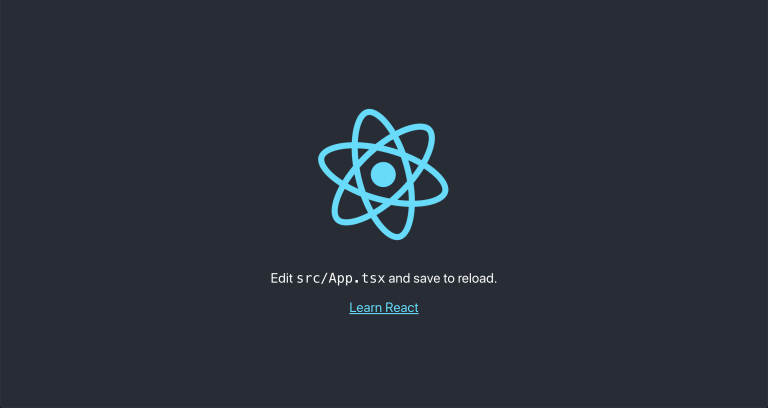
React アプリの初期画面を確認したら React は停止する(CTRL+C)
Reactコンポーネント開発
React コンポーネントは storybook で確認しながら作る
Storybookインストール
app フォルダに移動してから storybook と material-ui をインストールする
cd app

# storybook
npx storybook init

# material-ui
npm install @mui/material @emotion/react @emotion/styled
コンポーネント作成
HelloWorld.tsx と HelloWorld.stories.tsx を作る
app/src/components/HelloWorld.tsx
import React from 'react';
import Button from '@mui/material/Button';
import CircularProgress from '@mui/material/CircularProgress';

export interface HelloWorldProps {
    event: (callback: (m:string) => void) => Promise<void>
}

export const HelloWorld = (props: HelloWorldProps) => {
    const [loading, setLoading] = React.useState(false);
    const [message, setMessage] = React.useState("Push");

    const onClick = () => {
        setLoading(true)
        props.event((m:string) => {
            setLoading(false)
            setMessage(m);
        })
    }

    return (
        <Button variant="contained" disabled={loading} onClick={onClick} sx={{width:200,height:36}}>
            {!loading && <div>{message}</div>}
            {loading && <CircularProgress size="1.5rem" color="success"/>}
        </Button>
    )
}
app/src/components/HelloWorld.stories.tsx
import React from 'react';
import { ComponentStory, ComponentMeta } from '@storybook/react';
import { HelloWorld } from './HelloWorld';

export default {
  title: 'Components/HelloWorld',
  component: HelloWorld,
} as ComponentMeta<typeof HelloWorld>;

const Template: ComponentStory<typeof HelloWorld> = (args) => <HelloWorld {...args} />;

export const Default = Template.bind({});
Default.args = {
  event: async (callback: (m:string) => void) => {
    const wait = async (ms: number) => new Promise(resolve => setTimeout(resolve, ms));
    await wait(1000)
    callback("OK")
  },
};
storybook起動
cd app

# storybook起動
npm run storybook
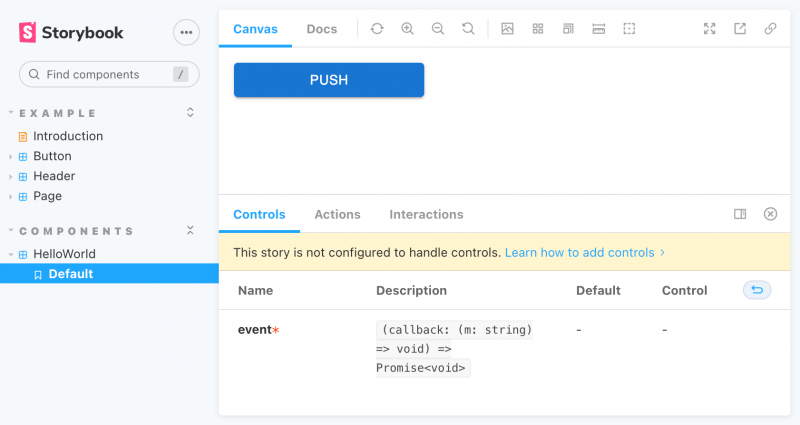
起動したら storybook にアクセス( http://localhost:6006/ )して、HelloWorld コンポーネントを確認する
PUSH ボタンを押すと 1秒後に表示が OK に変わる
コンポーネント開発はこれで完了(ソースコードの説明は省く)
storybook は停止する(CTRL+C)
API設計
OAS (Open API Specification) で API を設計して、prism でモックサーバを作成する
OAS作成
まず、api.yaml を作成する
api/spec/api.yaml
openapi: 3.0.0
info:
  title: api
  version: '1.0'
  description: reactapp.com
  contact:
    name: SAT.inc
servers:
  - url: 'http://localhost:3001'
paths:
  '/message/{id}':
    parameters:
      - schema:
          type: string
        name: id
        in: path
        required: true
        description: Get message by ID
    get:
      summary: ''
      operationId: get-message-by-id
      responses:
        '200':
          description: OK
          content:
            application/json:
              schema:
                $ref: '#/components/schemas/message'
              examples:
                Example 1:
                  value:
                    text: Bonjour!
      description: get message
      tags:
        - reactapp
tags:
  - name: reactapp
components:
  schemas:
    message:
      title: message
      x-stoplight:
        id: qwiwvgem2k86c
      type: object
      x-examples:
        Example 1:
          text: Bonjour!
      properties:
        id:
          type: integer
          description: message ID
        text:
          type: string
          description: message text
      required:
        - id
        - text
モックサーバ起動
OAS から prism でモックサーバを起動する
# prism
sudo npm install -g @stoplight/prism-cli

# モックサーバ起動
prism mock ./api/spec/api.yaml -p 3001
モックサーバが起動したらブラウザで http://localhost:3001/message/1 へアクセスすると、{"text":"Bonjour!"} が表示される(OAS に設定した Example がそのまま返ってくる)
モックサーバは起動したまま、次に進む
Reactアプリ開発
コンポーネントを組み合わせ、モックサーバの API を呼びながら React アプリを開発する
API クライアントコード生成
まず、React で使う API クライアントコードを、OAS から生成する(コードは ./app/src/api に出力する)
# openapi-generator
sudo npm install -g @openapitools/openapi-generator-cli

# APIクライアントコード生成
sudo openapi-generator-cli generate -g typescript-axios -i ./api/spec/api.yaml -o ./app/src/api
パッケージインストール
HTTP クライアントに axios を、ルーティングに react-router-dom を使うので、app にインストールする
cd app

# axios
npm install axios

# react-router-dom
npm install react-router-dom
ページ実装
HelloWorld コンポーネントを使ってページ HelloWorldPage.tsx を作る
app/src/pages/HelloWorldPage.tsx
import React from 'react';
import { HelloWorld } from '../components/HelloWorld';
import { ReactappApi } from "../api/api"
import Box from '@mui/material/Box';

export const HelloWorldPage = () => {
    const event = async (callback: (m:string) => void) => {
        const wait = async (ms: number) => new Promise(resolve => setTimeout(resolve, ms));
        await wait(1000)

        var message = ""

        try {
            const api = new ReactappApi()
            const res = await api.getMessageById("1")
            switch (res.status) {
                case 200:
                    if (res.data.text != null) {
                        message = res.data.text
                    }
                    break;
                default:
                    alert("Error!")
            }
        } catch (err) {
            console.log(err)
            alert("Error!")
        }

        callback(message)
    }

    return (
        <Box sx={{m:1}}>
            <Box sx={{m:1}}>
                Please push this button
            </Box>
            <Box sx={{m:1}}>
                <HelloWorld event={event} />
            </Box>
        </Box>
    )
}
また、HelloWorldPage.tsx をホームページにするために App.tsx の内容を書き換える
app/src/App.tsx
import { BrowserRouter, Routes, Route} from "react-router-dom";
import { HelloWorldPage } from "./pages/HelloWorldPage"

function App() {
  return (
    <BrowserRouter>
      <Routes>
        <Route path="/" element={<HelloWorldPage />} />
      </Routes>
    </BrowserRouter>
  );
}

export default App;
React起動
React を起動して、PUSH ボタンの動作を確認する
cd app

# React起動
npm start
PUSH ボタンを押すとモックサーバの API を呼び出し、レスポンス {"text":"Bonjour!"} の text をボタンに表示する

React アプリ開発はこれで完了。モックサーバと React は停止する(CTRL+C)
データベース
API 開発の前にデータベースを用意する
PostgreSQLコンテナ
Dockerfile と docker-compose を用意する
db/Dockerfile
FROM postgres:alpine
ENV LANG ja_JP.utf8
docker-compose.yml
version: '3'
services:
  db:
    build: ./db
    ports:
      - 5432:5432
    environment:
      - POSTGRES_DB=reactapp
      - POSTGRES_USER=pguser
      - POSTGRES_PASSWORD=password
    volumes:
      - reactapp-db:/var/lib/postgresql/data
volumes:
  reactapp-db:
コンテナを起動する
# DBコンテナ起動
docker-compose up -d db
マイグレーション
migrate モジュールを使ってデータベースに message テーブルを作成する
まず、up と down のファイルを作る
db/migration/0001_create_message_table.up.sql
CREATE TABLE IF NOT EXISTS message (
   id serial PRIMARY KEY,
   message TEXT NOT NULL
);
db/migration/0001_create_message_table.down.sql
DROP TABLE IF EXISTS message;migrate をインストールして、マイグレーションを実施する
# migrate
go install -tags 'postgres' github.com/golang-migrate/migrate/v4/cmd/migrate@latest

# マイグレーション実施
migrate -database "postgres://pguser:password@localhost:5432/reactapp?sslmode=disable" -path ./db/migration up
サンプルデータ
psql コマンドでサンプルデータを投入する
db/sample/sample.sql
INSERT INTO public.message (message) VALUES
     ('Hello World!'),
     ('Salve mundus!'),
     ('Bonjour le monde!'),
     ('Hallo Welt!'),
     ('Ciao mondo!'),
     ('Saluton mondo!');
# サンプルデータインポート
psql -h localhost -U pguser -d reactapp -f ./db/sample/sample.sql確認
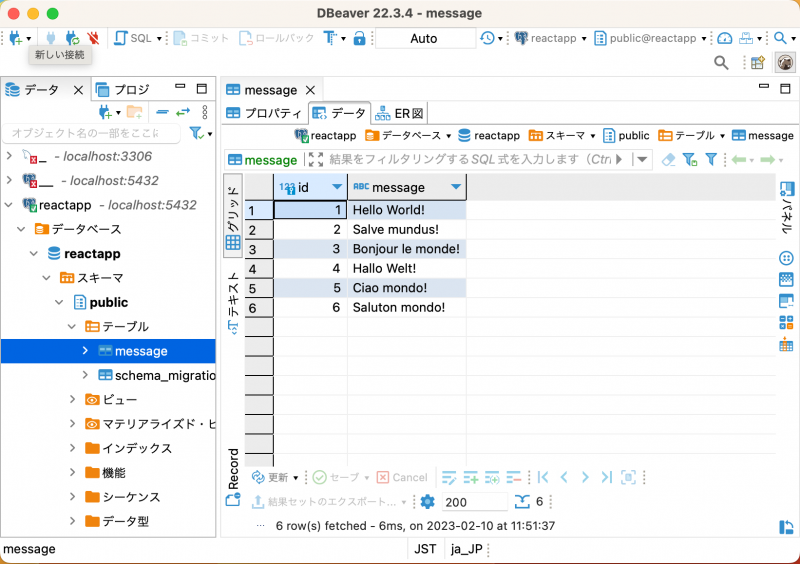
DBeaver や TablePlus を使って DB に接続して、データを確認する
| Name | Value |
|---|---|
| Host | localhost |
| Port | 5432 |
| User | pguser |
| Password | password |
| Database | reactapp |
DB コンテナは API 開発で使うので、起動したまま次に進む
API開発
コンテナのDBを使いながら、go で API を実装する
SQLBoiler
まず、SQLBoiler でデータベースの ORM コードを生成する
設定ファイルを作成して、
db/config/database.toml
pkgname  = "models"
output   = "api/sqlboiler/models"
wipe     = true
no-tests = true
add-enum-types = true

[psql]
  dbname  = "reactapp"
  host    = "localhost"
  port    = 5432
  user    = "pguser"
  pass    = "password"
  schema  = "public"
  sslmode = "disable"
  blacklist = ["migrations", "other"]
sqlboiler でコードを生成する
コードは api/sqlboiler/models に出力される
# SQL Boiler
go install github.com/volatiletech/sqlboiler/v4@latest
go install github.com/volatiletech/sqlboiler/v4/drivers/sqlboiler-psql@latest

# ORMコード生成
sqlboiler psql -c ./db/config/database.toml
oapi-codegen
次は oapi-codegen で OAS から API のコードを生成する
出力先フォルダ api/oapi/codegen は先に作っておく
# oapi-codegen
go install github.com/deepmap/oapi-codegen/cmd/oapi-codegen@latest

# 出力フォルダ作成
mkdir -p api/oapi/codegen

# APIコード生成
oapi-codegen -old-config-style -generate chi-server -package codegen -o ./api/oapi/codegen/api.gen.go ./api/spec/api.yaml
oapi-codegen -old-config-style -generate types -package codegen -o ./api/oapi/codegen/model.gen.go ./api/spec/api.yaml
API実装
以下の 4つのファイルを作成する
api/main.go
package main

import (
    "log"
    "net/http"

    "reactapp.com/api/oapi"
)

func main() {
    var httpServer http.Server

    oapi.SetupHandler()
    log.Println("start http listening :3001")

    httpServer.Addr = ":3001"
    log.Println(httpServer.ListenAndServe())
}
api/oapi/handler.go
package oapi

import (
    "net/http"

    "reactapp.com/api/oapi/codegen"

    "github.com/go-chi/chi/v5"
    "github.com/go-chi/cors"
)

type API struct{}

func SetupHandler() {
    r := chi.NewRouter()

    r.Use(cors.Handler(cors.Options{
        AllowedOrigins:   []string{"https://*", "http://*"},
        AllowedMethods:   []string{"GET", "POST", "PUT", "DELETE", "OPTIONS"},
        AllowedHeaders:   []string{"Accept", "Authorization", "Content-Type", "X-CSRF-Token"},
        ExposedHeaders:   []string{"Link"},
        AllowCredentials: false,
        MaxAge:           300,
    }))

    r.Group(func(r chi.Router) {
        r.Options("/*", func(w http.ResponseWriter, r *http.Request) {
            w.Header().Set("Access-Control-Allow-Headers", "*")
            w.Header().Set("Access-Control-Allow-Origin", "*")
            w.Header().Set("Access-Control-Allow-Methods", "GET, POST, PUT, DELETE, OPTIONS")
        })
    })

    http.Handle("/", codegen.HandlerFromMux(&API{}, r))
}
api/oapi/get_message.go
package oapi

import (
    "context"
    "database/sql"
    "encoding/json"
    "net/http"
    "os"

    "github.com/volatiletech/sqlboiler/v4/queries/qm"
    "reactapp.com/api/oapi/codegen"
    "reactapp.com/api/sqlboiler/models"

    _ "github.com/lib/pq"
)

func (api *API) GetMessageById(w http.ResponseWriter, r *http.Request, id string) {
    ctx := context.Background()

    db, err := sql.Open(os.Getenv("DBDRIVER"), os.Getenv("DBDSN"))
    if err != nil {
        http.Error(w, err.Error(), http.StatusInternalServerError)
        return
    }
    defer db.Close()

    m, err := models.Messages(
        qm.Where("id = ?", id),
    ).One(ctx, db)
    if err != nil {
        http.Error(w, err.Error(), http.StatusNoContent)
        return
    }

    res := codegen.Message{
        Id:   m.ID,
        Text: m.Message,
    }

    b, err := json.Marshal(res)
    if err != nil {
        http.Error(w, err.Error(), http.StatusInternalServerError)
        return
    }

    if _, err := w.Write(b); err != nil {
        http.Error(w, err.Error(), http.StatusInternalServerError)
        return
    }
}
api/oapi/get_message_test.go
package oapi

import (
    "context"
    "encoding/json"
    "fmt"
    "io/ioutil"
    "net/http"
    "net/http/httptest"
    "os"
    "testing"

    "github.com/go-chi/chi/v5"
    "github.com/stretchr/testify/assert"
    "github.com/stretchr/testify/require"
    "reactapp.com/api/oapi/codegen"
)

func newTestRouter() *chi.Mux {
    router := chi.NewRouter()
    router.Route("/", func(subr chi.Router) {
        codegen.HandlerFromMux(&API{}, subr)
    })
    return router
}

func TestGetMessage(t *testing.T) {
    router := newTestRouter()
    url := "/message/%d"

    tests := []struct {
        name   string
        req    func() (*http.Request, error)
        assert func(*httptest.ResponseRecorder, *http.Request)
    }{
        {
            name: "404 Not Found",
            req: func() (*http.Request, error) {
                return http.NewRequest(http.MethodPost, "http://example.com", nil)
            },
            assert: func(w *httptest.ResponseRecorder, r *http.Request) {
                assert.Equal(t, http.StatusNotFound, w.Result().StatusCode)
            },
        },
        {
            name: "500 Internal Server Error",
            req: func() (*http.Request, error) {
                return http.NewRequest(http.MethodGet, fmt.Sprintf(url, 1), nil)

            },
            assert: func(w *httptest.ResponseRecorder, r *http.Request) {
                require.Equal(t, http.StatusInternalServerError, w.Result().StatusCode)
            },
        },
        {
            name: "204 No Content",
            req: func() (*http.Request, error) {
                os.Setenv("DBDRIVER", "postgres")
                os.Setenv("DBDSN", "host=localhost port=5432 dbname=reactapp user=pguser password=password sslmode=disable")
                return http.NewRequest(http.MethodGet, fmt.Sprintf(url, 0), nil)

            },
            assert: func(w *httptest.ResponseRecorder, r *http.Request) {
                require.Equal(t, http.StatusNoContent, w.Result().StatusCode)
            },
        },
        {
            name: "200 OK",
            req: func() (*http.Request, error) {
                return http.NewRequest(http.MethodGet, fmt.Sprintf(url, 3), nil)

            },
            assert: func(w *httptest.ResponseRecorder, r *http.Request) {
                require.Equal(t, http.StatusOK, w.Result().StatusCode)

                b, err := ioutil.ReadAll(w.Body)
                require.NoError(t, err)

                actual := codegen.Message{}
                require.NoError(t, json.Unmarshal(b, &actual))

                assert.Equal(t, "Bonjour le monde!", actual.Text)
            },
        },
    }

    for _, tt := range tests {
        tt := tt
        t.Run(tt.name, func(t *testing.T) {
            ctx := context.Background()
            w := httptest.NewRecorder()
            r, err := tt.req()
            if assert.NoError(t, err) {
                r = r.WithContext(ctx)
                router.ServeHTTP(w, r)
                tt.assert(w, r)
            }
        })
    }
}
go mod tidy で使用している go のモジュールをすべてインストールする
cd api

go mod init reactapp.com/api
go mod tidy
ユニットテスト実施
cd api/oapi

# ユニットテスト実施
go test -v
以下のように出力されれば OK
=== RUN   TestGetMessage
=== RUN   TestGetMessage/404_Not_Found
=== RUN   TestGetMessage/500_Internal_Server_Error
=== RUN   TestGetMessage/204_No_Content
=== RUN   TestGetMessage/200_OK
--- PASS: TestGetMessage (0.02s)
    --- PASS: TestGetMessage/404_Not_Found (0.00s)
    --- PASS: TestGetMessage/500_Internal_Server_Error (0.00s)
    --- PASS: TestGetMessage/204_No_Content (0.01s)
    --- PASS: TestGetMessage/200_OK (0.01s)
PASS
ok      reactapp.com/api/oapi   0.019s
API 実装はこれで完了。DB コンテナはいったん停止する
docker-compose downDockerコンテナ
React アプリと API サーバも Docker コンテナで動かして、アプリ全体を結合する
Reactコンテナ
React コンテナの Dockerfile を作成する
app/Dockerfile
FROM node:16.16.0

WORKDIR /app
COPY ./*.json ./
COPY ./src ./
COPY ./public ./
RUN npm cache clean --force
RUN npm ci
CMD ["npm", "start"]
APIコンテナ
API コンテナの Dockerfile を作成する
api/Dockerfile
FROM golang:1.19.0
ADD ./ /go/api
WORKDIR /go/api
CMD ["go", "run", "main.go"]
docker-compose
React サーバと API サーバを docker-compose に追加する
docker-compose.yml
version: '3'
services:
  db:
    build: ./db
    ports:
      - 5432:5432
    environment:
      - POSTGRES_DB=reactapp
      - POSTGRES_USER=pguser
      - POSTGRES_PASSWORD=password
    volumes:
      - reactapp-db:/var/lib/postgresql/data
  api:
    build: ./api
    ports:
      - 3001:3001
    environment:
      - DBDRIVER=postgres
      - DBDSN=host=db port=5432 dbname=reactapp user=pguser password=password sslmode=disable
  app:
    build: ./app
    ports:
      - 3000:3000
    volumes:
      - /app/node_modules
      - ./app:/app
    environment:
      - NODE_ENV=development
volumes:
  reactapp-db:
コンテナ起動
すべてのコンテナをビルドして、起動する
# ビルド
docker-compose build

# 起動
docker-compose up -d
確認
ブラウザでアプリ( http://localhost:3000/ )にアクセスする
PUSH ボタンを押すと API を介して DB からメッセージデータを取得して、1秒後に Hello World! とボタンに表示される
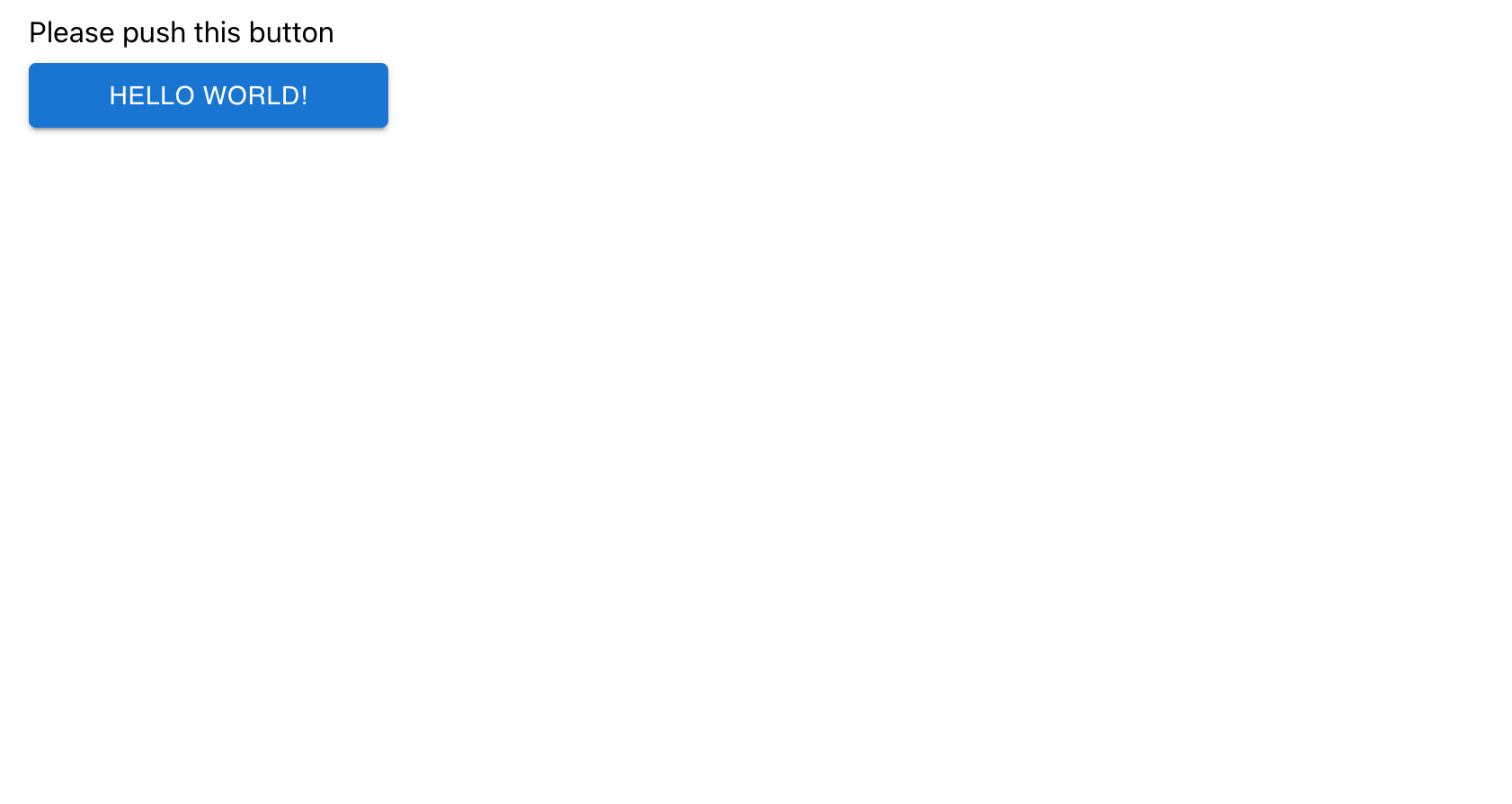
以上で、React ⇔ API ⇔ DB がそれぞれ連携したアプリがすべて Docker コンテナで動作する環境が出来上がった
おわりに
ちなみにローカルのコードを修正してもコンテナには反映されないので、コンテナ停止してビルドして再起動しなければならない
なので、コンポーネント/React アプリ/API はそれぞれ独立して開発して、コンテナは結合しての動作確認に使う、ということになる? それはそれで面倒な気がする
それと、この環境だと API が CORS に引っかかって Cookie や Session が使えない。対応方法は下の記事を参照してほしい